
Sold Tickets on StubHub When Do I Get Paid
Published July 26, 2026
Learn sold tickets on StubHub when do I get paid, payout timing, delays, and faster resale options so you can choose wisely today.
Sold Tickets on StubHub: When Do I Get Paid?
If you sold tickets on StubHub and you’re wondering when the money actually hits your account, the short answer is this: StubHub typically processes payouts within 5–8 business days after the event. That means you usually do not get paid when the tickets sell. You get paid after the event takes place and after StubHub finishes its verification and processing steps.
For many sellers, that delay is frustrating. If you need cash quickly, sold last minute, or simply don’t want to wait around hoping everything clears, it helps to understand exactly how StubHub payouts work - and when a faster option like WeBuyTickets makes more sense.
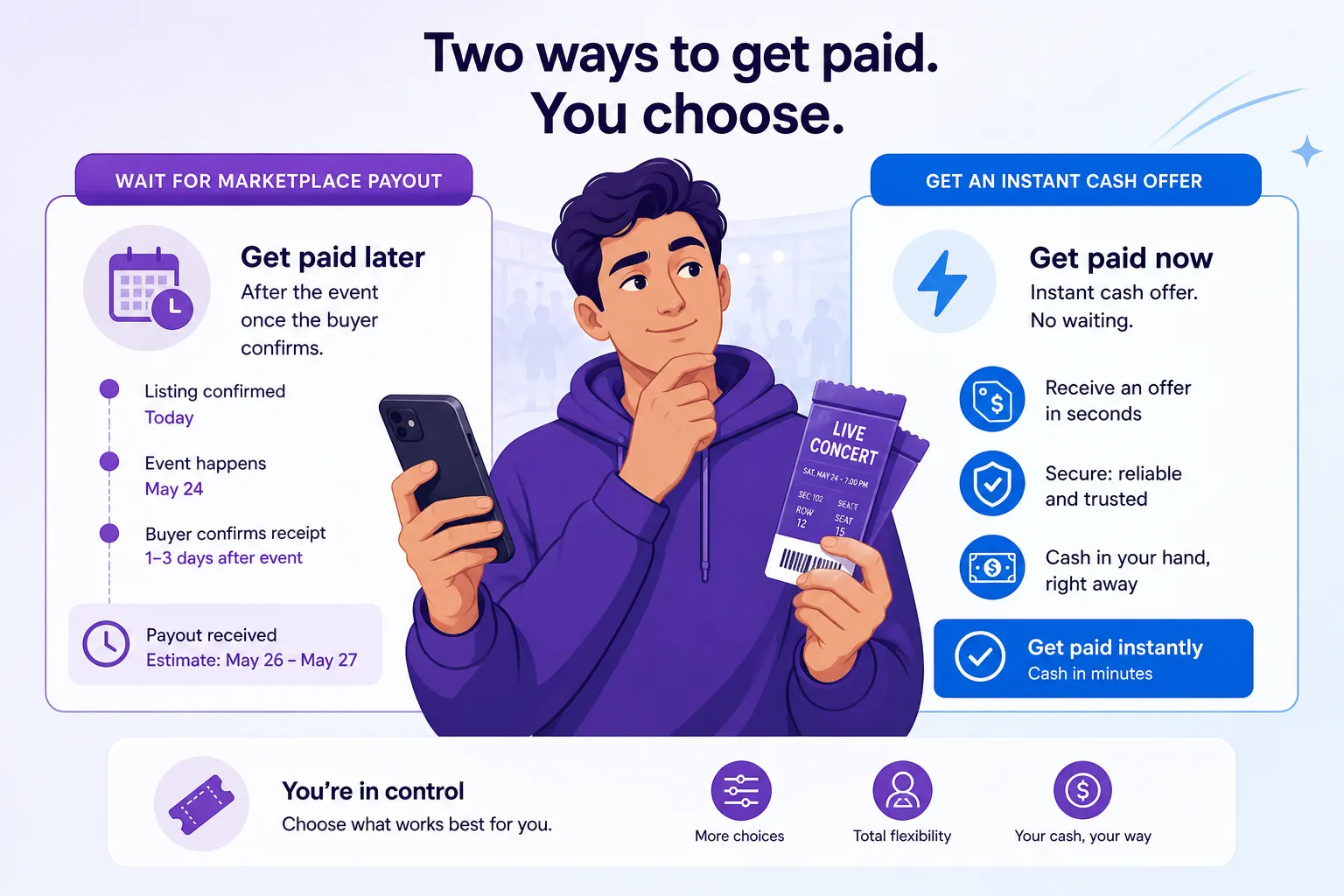
The Short Answer: StubHub Usually Pays After the Event
StubHub’s support guidance says sellers are generally paid 5–8 business days after the event. That payout window is designed to give the platform time to confirm there were no issues with the tickets and to complete payment processing.
"Typically, payouts from selling tickets are processed within 8 business days after the event." - StubHub Support
So if your tickets sold today for an event happening next month, your payout usually won’t start processing today. You’ll likely wait until:
The event happens
Ticket delivery is confirmed
StubHub processes the payout
Your payment method receives the funds
That’s a big difference from a guaranteed-sale model like WeBuyTickets, where you submit your tickets, get an instant offer within minutes, and can receive payment through PayPal or Venmo in minutes after transfer - without listing, waiting for a buyer, or paying seller fees.
Why StubHub Doesn’t Pay Right Away
StubHub is a marketplace, not a direct buyer. That means it connects sellers and buyers, then holds the process together until the transaction is fully completed.
StubHub has to verify the sale
Even after your tickets sell, StubHub still needs to make sure:
the tickets were delivered correctly
the transfer was accepted if required
the buyer didn’t report a problem
the event actually took place
This protects buyers, but it also means your payout is delayed by design.
Your sale can stay “open” until delivery is complete
According to StubHub, a sale may show as open until you deliver the tickets. For mobile transfer tickets, you may also need to confirm the transfer after sending them.
If you miss that step, payment can be delayed even longer.
StubHub Payout Timeline at a Glance
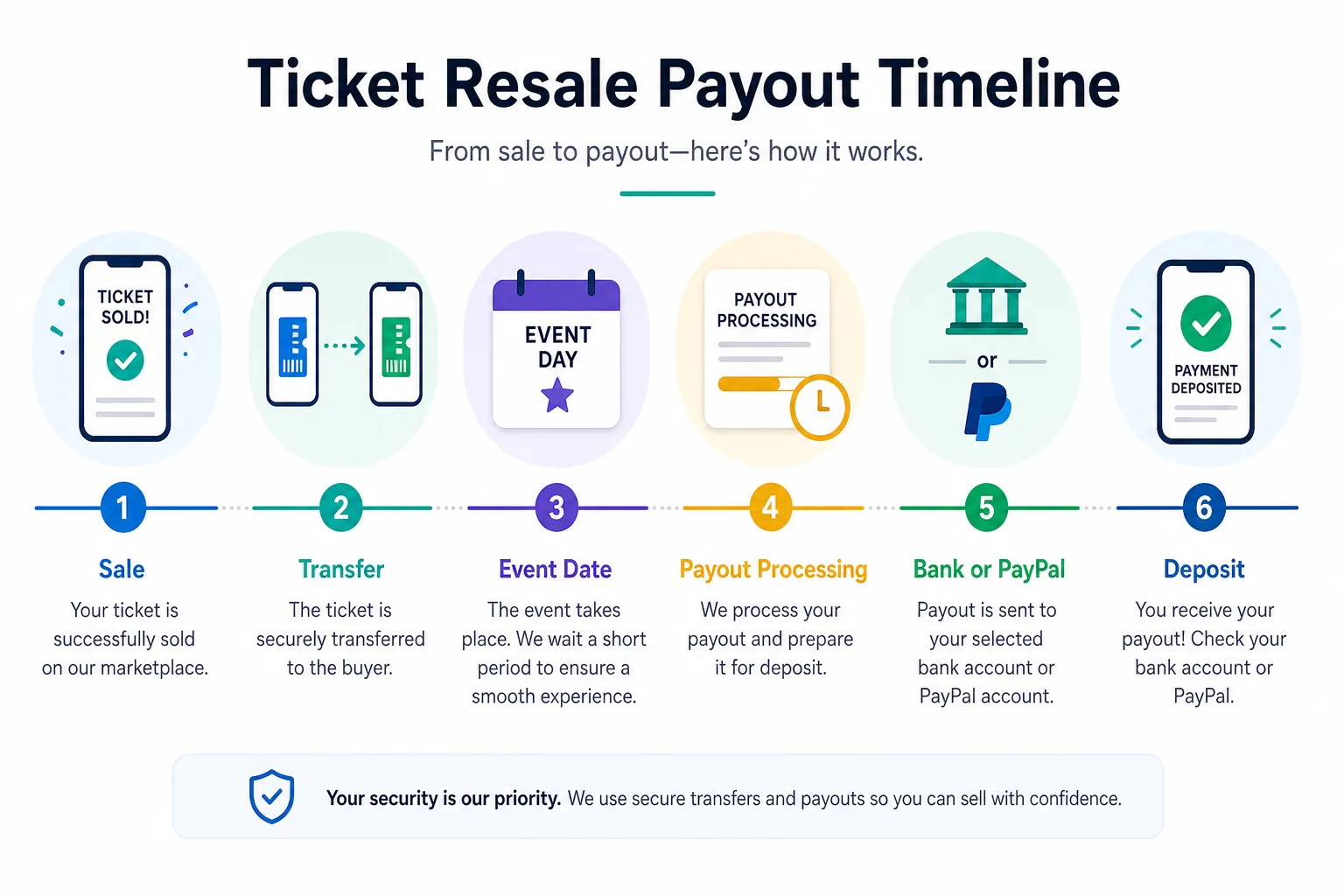
Here’s what the typical timeline looks like:
Step | What Happens | When It Happens |
|---|---|---|
Ticket sale | Buyer purchases your tickets | Before the event |
Delivery | You transfer or upload the tickets | Usually soon after sale |
Sale completion | StubHub marks the order completed once delivery requirements are met | Before or after transfer confirmation |
Event date | StubHub waits for the event to occur | Event day |
Payout processing | StubHub begins payment processing | About 5–8 business days after event |
Funds received | PayPal or bank deposit arrives | Depends on payment method and bank timing |
This is one reason some sellers choose WeBuyTickets instead. There’s no public listing required, no need to wait for the event to pass, and no uncertainty over whether your payout will be delayed by transfer issues or marketplace processing.
What Can Delay Your StubHub Payment?
This is where many sellers get stuck. Even if the ticket sale itself went smoothly, several issues can slow down your payout.
1. You haven’t added or confirmed a payout method
StubHub tells sellers to make sure a default payment method is set in the account. If that’s missing or outdated, your money can’t be sent properly.
Check:
your bank transfer details
your PayPal email
whether the payout method is set as default
2. Your tickets were mobile transfer tickets and proof is needed
For some mobile transfer sales, StubHub may ask for proof of transfer before releasing payment.
Accepted proof may include:
a screenshot of the transfer confirmation email
a screenshot from the ticket provider account showing the transfer completed
If you ignore that request or can’t provide proof quickly, your payout may be held.
3. Your bank details are wrong
A failed direct deposit can happen if:
account numbers are incorrect
your bank doesn’t accept the listing currency
the transfer gets returned
If the payout fails, StubHub may require you to update your banking details and wait for the funds to be returned before reissuing payment.
4. Your PayPal email is incorrect
A simple typo in your PayPal email can delay everything. StubHub specifically notes that failed or unclaimed PayPal payouts are often caused by using an email address that isn’t linked to an active PayPal account.
5. Your payout is unclaimed
Unclaimed payouts are common when:
you never completed PayPal setup
the email in your StubHub settings doesn’t match your PayPal account
the receiving account isn’t properly verified
6. Tax information is missing
For U.S. sellers, tax compliance can also stop payment.
"As of January 1, 2025, all U.S. sellers must provide a TIN to receive payment." - StubHub Support
If you’re a U.S.-based seller and haven’t submitted the required taxpayer information, you may not get paid until that’s resolved.
How to Check Your StubHub Payment Status
If you think you should have been paid already, take these steps:
On StubHub
Go to Payments
Find the relevant sale
Review the expected payout date
Confirm the payout method in Settings
Check whether StubHub requested proof of transfer
Also check your email
Look for messages about:
proof of transfer requests
payment failure notices
unclaimed payout notifications
tax information requests
A lot of payout issues can be solved just by responding to one of those account alerts.
Open Sale vs Completed Sale: Why It Matters
StubHub separates sales into statuses, and that status affects when you get paid.
Open sale
An open sale generally means:
your ticket sold
you still need to deliver it, or
you need to confirm the mobile transfer
Completed sale
A completed sale usually means:
the tickets were sold and delivered
the buyer has what they need
the transaction can move toward payout after the event
If your sale is still marked open, that’s your first clue that payment might not move forward yet.
When “5–8 Business Days” Feels Too Slow
For casual sellers, waiting more than a week after the event might be fine. But for plenty of people, it’s not.
This is especially true if you:
need money before rent or bills are due
sold expensive tickets and expected fast cash
are unloading season tickets regularly
are trying to sell last-minute inventory
don’t want funds tied up until after the event
That’s where the difference between a marketplace and a direct buyer becomes very real.
StubHub vs WeBuyTickets: Which Is Faster?
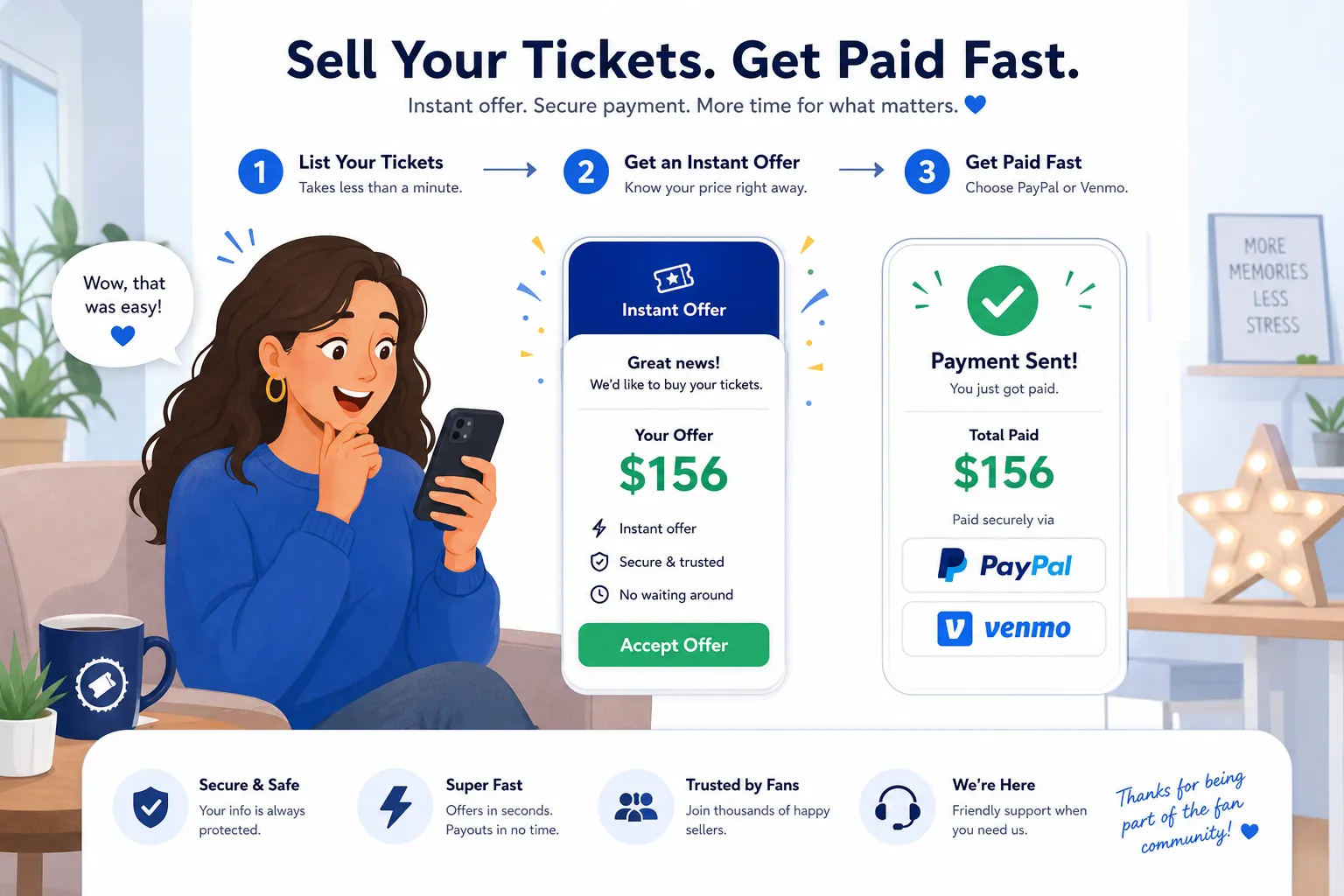
If your priority is speed, certainty, and simplicity, WeBuyTickets is built for exactly that.
Feature | StubHub | WeBuyTickets |
|---|---|---|
Sale model | Marketplace listing | Direct buyer |
Need to wait for buyer? | Yes | No |
Need to create a listing? | Yes | No |
Seller fees | Often part of marketplace economics | No seller fees |
Payout timing | Typically 5–8 business days after event | Offer within minutes; payment via PayPal or Venmo in minutes after transfer |
Last-minute sales | Limited by marketplace timing and buyer demand | Can support sales up to event start time |
Guaranteed sale | No | Yes, once offer is accepted |
Pricing effort | Seller must choose pricing strategy | Simple AI-powered offer |
Risk of payout delays | Yes, due to transfer, tax, or payment setup issues | Lower-friction, direct-sale process |
With WeBuyTickets, you skip the whole listing-and-waiting cycle. There’s no posting tickets and wondering if someone will buy them in time. You submit the ticket details in about 60 seconds, receive an instant offer within minutes, and if you accept, you can get paid quickly through PayPal or Venmo.
For sellers who value convenience over chasing the last possible dollar, that’s a major advantage.
When StubHub Makes Sense - and When It Doesn’t
StubHub may make sense if:
you’re willing to wait for a payout
you want to test the market for a higher selling price
your event is far enough away that timing isn’t a concern
you don’t mind managing listings and delivery steps
WeBuyTickets may be better if:
you want a guaranteed sale
you need fast payment
you don’t want to create or manage a listing
you want to avoid seller fees
you’re selling close to event time
you want responsive support and a simpler process
That last point matters more than people think. Traditional marketplaces can be stressful, especially when you’re dealing with transfer deadlines, payout uncertainty, and support issues. WeBuyTickets removes a lot of that friction.
Common Seller Mistakes That Slow Down Payment
If you do use StubHub, avoid these issues:
Not confirming the transfer
For mobile transfer tickets, sending the tickets may not be enough. If StubHub asks you to confirm the transfer, do it immediately.
Forgetting to set a default payout method
No default payout method means no clean path to payment.
Using an old PayPal email
Make sure your PayPal email is current, verified, and actually linked to your account.
Ignoring proof requests
If StubHub asks for transfer proof, send it as soon as possible.
Waiting until after the event to fix tax info
If you’re a U.S. seller, take care of TIN requirements before payout becomes an issue.
What If You Need Money Before the Event?
This is the biggest content gap most payout articles miss: what if the seller can’t wait until after the event?
If your ticket already sold on StubHub, you’re usually stuck with StubHub’s payout schedule. But if you haven’t listed yet - or you’re deciding where to sell - then this question matters a lot.
A marketplace may be fine if maximizing price is your only goal. But if your goal is cash fast, a direct-sale option is often better.

With WeBuyTickets, you can often sell even up to event start time, which is a huge advantage for last-minute changes. Instead of crossing your fingers and waiting for a buyer, you get a fast, fair offer and a clear next step.
A Simple Rule of Thumb
Use this quick decision guide:
If you want to gamble for the highest buyer price, a marketplace like StubHub may work.
If you want to avoid waiting, avoid fees, and get paid fast, WeBuyTickets is the better fit.
That’s really the tradeoff.
Final Verdict
So, if you sold tickets on StubHub, when do you get paid?
In most cases, StubHub processes payment about 5–8 business days after the event, not at the moment of sale. And if there’s a problem with delivery, transfer confirmation, payout setup, PayPal details, or tax information, it can take even longer.
If that feels too slow, you’re not alone. For sellers who want a faster, simpler path, WeBuyTickets offers a much more convenient alternative: no listing required, no seller fees, an instant offer within minutes, and payment via PayPal or Venmo in minutes after transfer. If your priority is speed, trust, and zero hassle, that’s the smarter way to turn unused tickets into cash.
FAQ
How do I get my money when I sell tickets on StubHub?
You get paid through the payout method saved in your StubHub account, usually PayPal or direct deposit. In most cases, StubHub processes payment 5–8 business days after the event, not when the tickets first sell.
What time of day does StubHub pay?
StubHub does not publish a guaranteed time of day for payouts. What matters more is the processing window: payments are typically sent within 5–8 business days after the event, and your bank or PayPal timing may vary.
Why haven't I received my money from StubHub?
Common reasons include a missing or incorrect payout method, unconfirmed mobile transfer, proof-of-transfer requests, wrong PayPal email, failed bank details, or missing tax information. Check your Payments, Settings, and email notifications for the specific issue.
What to do after StubHub tickets are sold?
After your tickets sell, you should deliver them promptly, confirm any mobile transfer steps, and make sure your default payout method is correct. Then monitor your sale status and expected payout date in your StubHub account.
What time of day does StubHub pay?
There is no fixed public payout hour, so funds can appear at different times depending on processing and your payment provider. The more reliable expectation is that StubHub usually pays within 5–8 business days after the event.
Is it better to sell my tickets on Ticketmaster or StubHub?
That depends on whether you care more about marketplace exposure or simplicity and speed. If you want to skip listing, avoid seller fees, and get a guaranteed offer with fast payment, a direct buyer like WeBuyTickets can be a better option than either marketplace.