Sell Tickets With PayPal: Fast, Safe Options
Published August 3, 2026
Learn how to sell tickets with PayPal safely, avoid scams and fees, and compare faster resale options for quick payouts today.
Sell Tickets With PayPal: Fast, Safe Options
If you need to unload event tickets quickly, PayPal can look like the easiest answer. It’s familiar, fast, and widely accepted. But whether you want to sell tickets with PayPal or buy tickets with PayPal, the real question is simple: how do you do it safely without getting stuck in disputes, delays, or scams?
For many fans, the pain point isn’t just payment. It’s everything around it: finding a buyer, setting a price, waiting for offers, worrying about fraud, and hoping the money actually lands. That gets even worse when the event is tonight and you’re racing the clock.
This guide breaks down the smartest ways to use PayPal for tickets, what to watch out for, what fees and risks to expect, and when a faster resale option makes more sense.
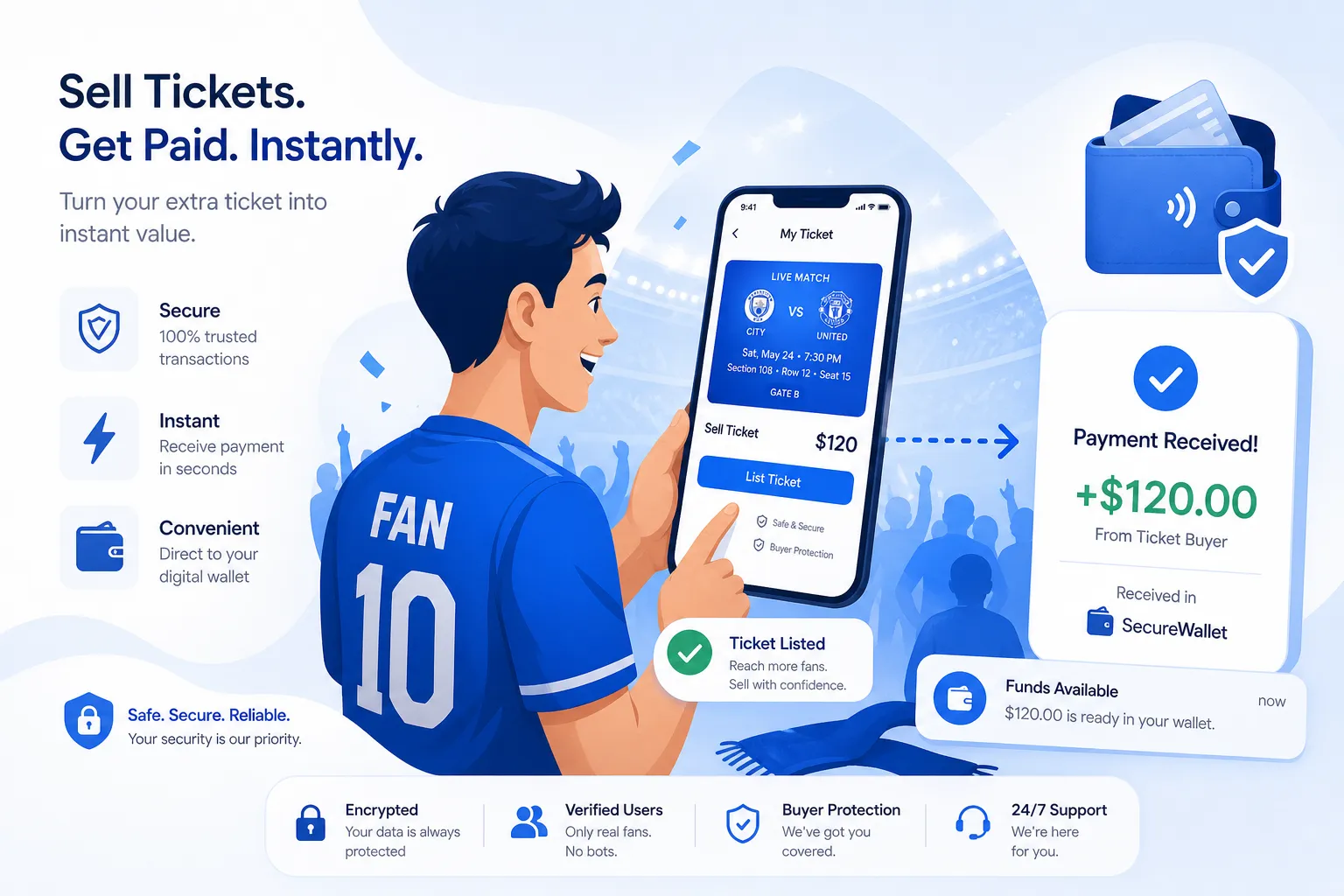
What people really mean when they want to use PayPal for tickets
Most buyers and sellers are usually looking for one of these:
A way to buy concert tickets with PayPal instead of entering a card
A way to sell tickets through PayPal to a private buyer
A safer way to handle last-minute resale
A faster payout than traditional resale marketplaces
A way to avoid listing fees, seller fees, or long waits
PayPal can help with the payment part. It does not solve every ticket resale problem on its own.
That distinction matters.
Can you buy tickets with PayPal?
Yes. In many cases, you can buy tickets with PayPal on primary ticketing sites, resale marketplaces, or direct seller checkout pages if the platform supports it.
Common scenarios include:
Buying from a large ticketing platform that offers PayPal at checkout
Buying resale tickets on a marketplace that supports PayPal
Paying a private seller directly through PayPal
The first two are usually safer than the third because the platform adds its own rules, records, and transfer process.
Using PayPal to buy concert tickets on major platforms
If a ticket site supports PayPal, it can be a convenient checkout option because you can pay without typing card details each time.
When using PayPal to buy concert tickets, check these basics before you pay:
Is the seller on an official platform?
Is the ticket transfer method clearly explained?
Are fees shown before checkout?
Are the seats, date, and delivery type spelled out?
Is the payment being sent as a business transaction rather than Friends and Family?
If you’re buying concert tickets through PayPal, always keep screenshots of the listing, confirmation, delivery promises, and messages.
Can you sell tickets with PayPal?
Yes, but there are two very different ways to do it:
1. Sell to a private buyer and get paid through PayPal
This is the classic person-to-person method. You find the buyer yourself, agree on a price, send an invoice or payment request, transfer the tickets, and hope everything goes smoothly.
This is possible, but it carries risk:
Buyer disputes
Seller protection limits
Fake payment screenshots
Chargebacks
Last-minute delivery confusion
Time lost finding a real buyer
2. Sell to a ticket-buying service that pays via PayPal
This is often the faster route when you don’t want to list and wait. Instead of posting on a marketplace, you submit your ticket details, get an offer, accept it, transfer the tickets, and get paid.
This is where WeBuyTickets stands out. Instead of making you create a listing, compete on price, and wait for a stranger to buy, WeBuyTickets gives you an instant offer within minutes, lets you complete a simple 60-second submission, and pays you by PayPal or Venmo in minutes after transfer. There are no seller fees, no waiting, and no guessing whether your tickets will sell in time.
How to sell tickets through PayPal safely
If you decide to sell tickets through PayPal directly, follow a process that reduces your risk.
Step 1: Verify the buyer
Before accepting payment:
Confirm full name and email
Check whether the buyer understands the exact event, date, and seat details
Avoid buyers who rush you strangely or overcomplicate the deal
Be suspicious of anyone asking to move off-platform repeatedly
Step 2: Describe the tickets clearly
Include:
Event name
Venue
Date and time
Section, row, and seat numbers if applicable
Number of tickets
Delivery method
Any restrictions
Step 3: Use a proper PayPal transaction
Do not rely on verbal promises or screenshots. Make sure the payment actually appears in your PayPal account.
For higher clarity, use:
PayPal invoice
Goods and Services payment
Written notes matching the ticket details
Step 4: Transfer only after confirmed payment
Never send the tickets based on:
“Pending” claims from the buyer
Email screenshots
Text screenshots
Messages saying payment is “processing” outside your own PayPal dashboard
Step 5: Save all proof
Keep:
Listing screenshots
Buyer messages
Invoice records
Proof of ticket transfer
Time stamps
Event details
The biggest risks when selling tickets with PayPal
Competitor content often stops at “PayPal is secure.” That’s too simplistic. The payment tool may be secure, but the transaction context still matters.
Risk #1: Disputes after transfer
Digital goods and transfers can become messy if the buyer claims:
They never received the tickets
The tickets were not as described
The tickets didn’t scan
Someone else used them
Risk #2: Fake payment confirmations
A common scam is a buyer sending a fake email or doctored screenshot showing “payment sent.”
Risk #3: Friends and Family misuse
Some buyers ask sellers to use Friends and Family. That may remove key protections and create more risk for both parties.
Risk #4: Account holds or review delays
PayPal may review certain transactions, especially unusual or high-risk ones. That can be stressful if you expected immediate access to funds.
Risk #5: Last-minute timing failure
If the event starts in a few hours, waiting on a private buyer can leave you with unsold tickets.
Is PayPal Purchase Protection enough?
PayPal can help in certain situations, especially for buyers, but it is not a magic shield for every ticket issue.
"If you don't receive your tickets or they differ significantly from the description, you may be eligible for a refund." - PayPal Purchase Protection
That’s useful for buyers. But for sellers, the issue is different: you still need to prove what was delivered, when it was transferred, and what was agreed.
So yes, PayPal helps. No, it does not eliminate resale risk by itself.
PayPal vs traditional ticket marketplaces
Many sellers assume a marketplace is always the best option. Sometimes it is. But if speed matters, the tradeoff becomes obvious.
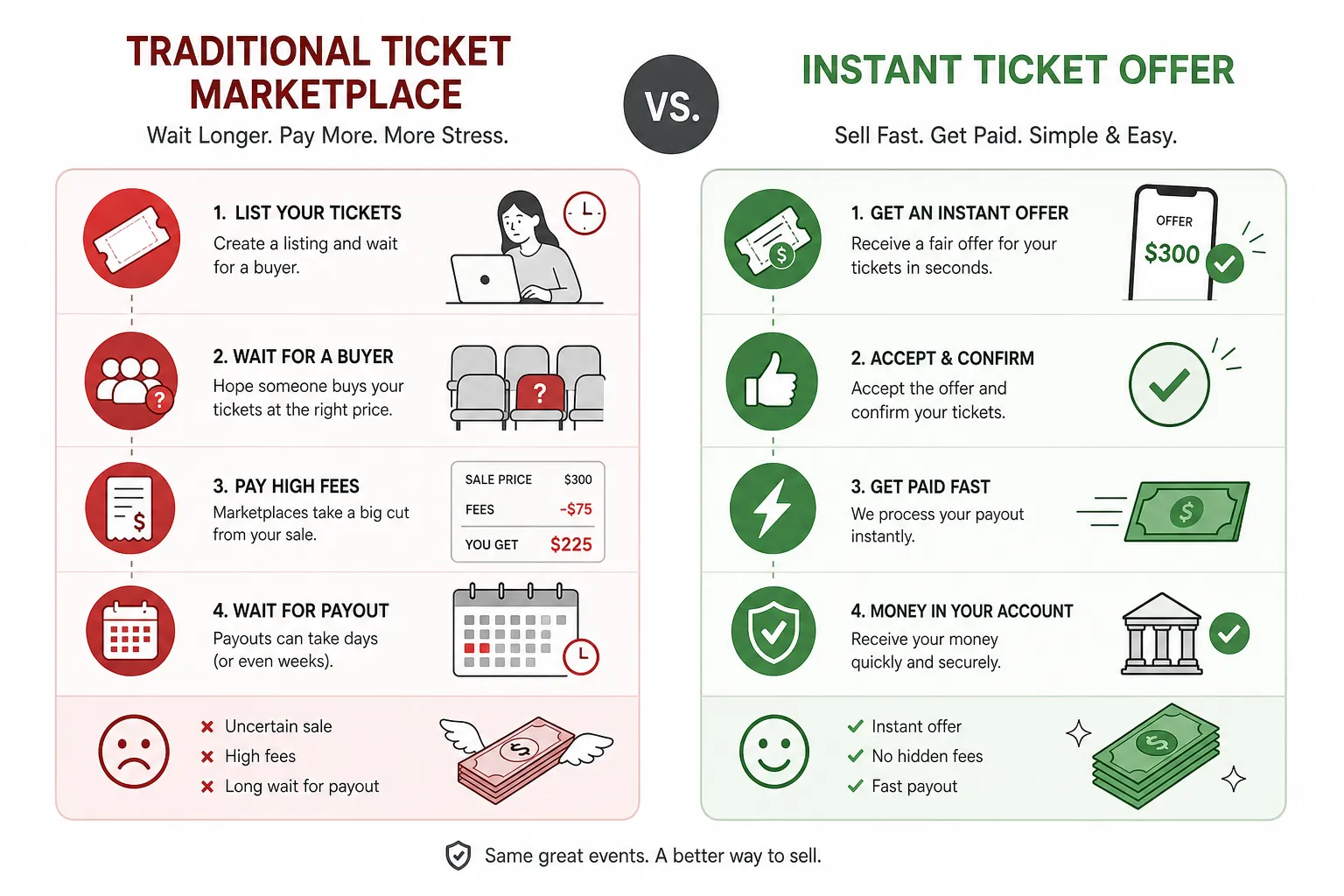
Comparison: selling tickets through PayPal, marketplaces, or WeBuyTickets
Option | Best for | Speed | Fees | Buyer hunt required | Payout certainty | Last-minute friendly |
|---|---|---|---|---|---|---|
Private sale with PayPal | Sellers who already have a buyer | Medium | Varies | Yes | No | Sometimes |
Traditional resale marketplace | Sellers chasing top market price | Slow to medium | Often significant | Indirectly | No | Risky close to event |
WeBuyTickets | Sellers who want speed and certainty | Fast | No seller fees | No | Yes | Yes, up to event start time |
Why many sellers want a faster alternative
Traditional marketplaces create friction:
You list the tickets
Set or adjust pricing
Wait for a buyer
Compete with other listings
Pay seller fees
Hope the event doesn’t start first
That model works if you have time and want to maximize price.
But if your priority is guaranteed sale, simplicity, and quick cash, a direct-buyer model is often a better fit. WeBuyTickets is built for exactly that. You submit your ticket details, receive a fair AI-powered offer within minutes, transfer the tickets, and get paid by PayPal or Venmo shortly after. No listing. No back-and-forth. No waiting for strangers.
What fees should you expect?
Fees depend on how you’re buying or selling.
If you’re buying tickets with PayPal
You may not pay a separate PayPal fee directly, but you may still see:
Platform service fees
Delivery fees
Resale markups
Currency conversion fees if applicable
If you’re selling tickets through PayPal privately
Possible costs may include:
Transaction processing fees
Chargeback exposure
Lost time if the buyer falls through
If you sell through a resale marketplace
You may face:
Seller fees
Payment processing deductions
Payout delays
Pricing pressure from competing listings
If you sell to WeBuyTickets
The value proposition is simpler:
No seller fees
No listing required
No waiting for a buyer
Payment via PayPal or Venmo in minutes
That simplicity is often worth more than squeezing out a little extra while risking a complete miss.
Safety tips for buying tickets through PayPal
If you’re buying tickets through PayPal, use these rules:
Buy on established platforms when possible
The combination of platform records plus PayPal records is stronger than a random social media transaction.
Avoid rushed direct deals
Scammers often pressure you to pay fast because “someone else is interested.”
Never rely on screenshots alone
Ask for verifiable proof of ownership and transfer method.
Match the details exactly
Make sure the event name, date, venue, seat info, and delivery method are all confirmed.
Use protected payment methods
Do not send money in ways that strip away recourse.

Ticket scams are real, and hidden costs are too
Another content gap in competitor articles is that they often treat ticket fraud as just a private-seller issue. In reality, deceptive pricing and resale tactics have been large enough to draw federal action.
"The FTC alleged that StubHub violated the FTC Act... by advertising ticket prices without clearly disclosing the total cost, including mandatory fees." - Federal Trade Commission
That matters for both buyers and sellers. Even when a platform is legitimate, hidden fees and resale markups can still make the experience frustrating.
When selling with PayPal is a good idea
Selling with PayPal can work well when:
You already know the buyer
The transfer method is clear
The event is not extremely close
You’re comfortable documenting everything
The ticket value is moderate and the risk feels manageable
In those situations, PayPal can be a practical payment tool.
When it’s smarter to skip listing entirely
If any of these are true, a direct offer model is often better:
The event is soon
You don’t want to negotiate
You don’t want strangers messaging you
You don’t want seller fees
You don’t want to wait days or weeks
You want a guaranteed sale path
You want money fast via PayPal or Venmo
That’s the gap WeBuyTickets fills.
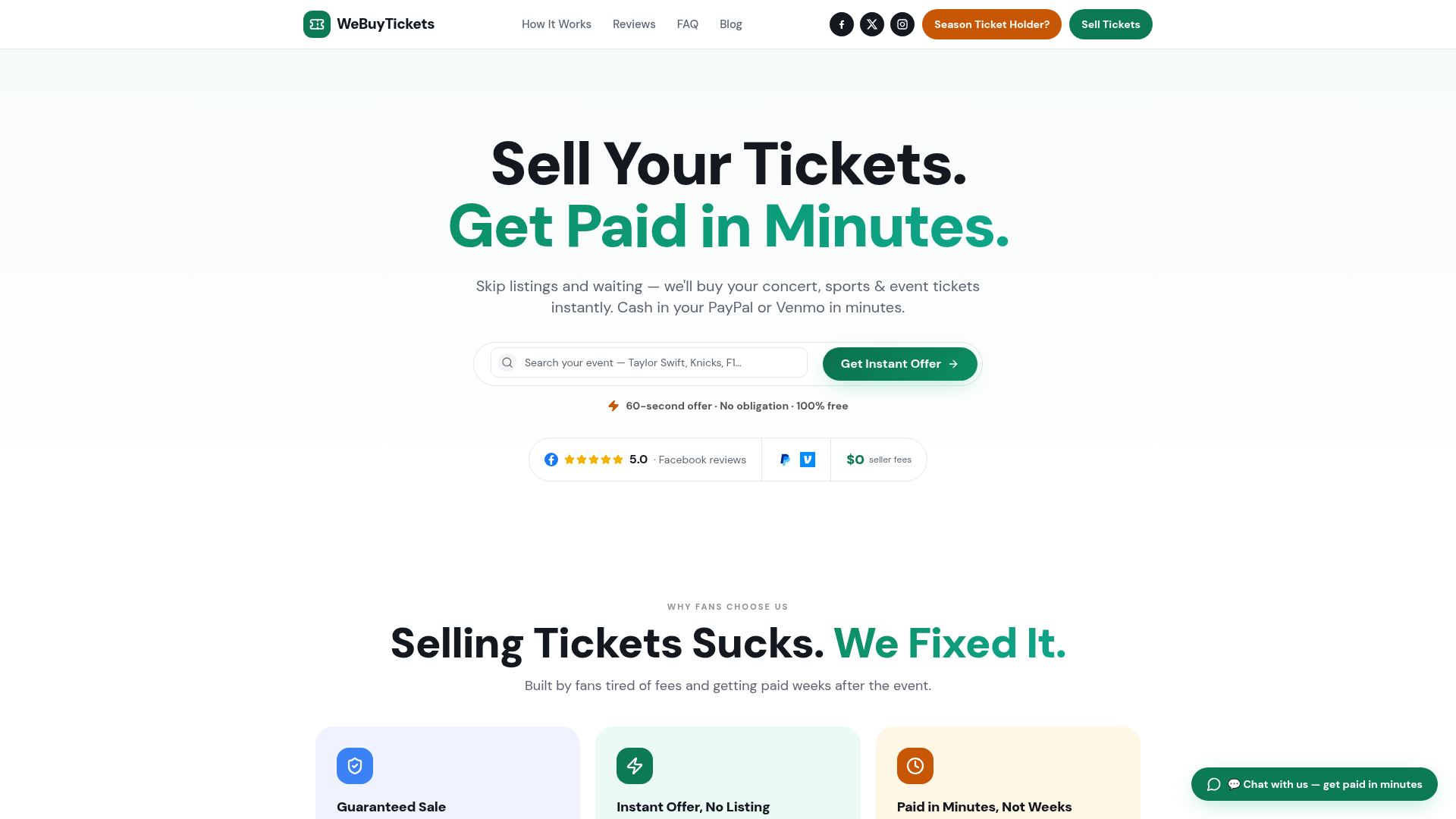
Why WeBuyTickets is the fastest low-hassle option for sellers
If your goal is not “maybe get the highest price someday,” but rather “sell these tickets now without drama,” WeBuyTickets is built for that exact moment.
What makes it different
Instant offers within minutes
Simple 60-second submission process
No listing required
No seller fees
No waiting for buyers
Guaranteed sale model
Payment via PayPal or Venmo in minutes
Responsive customer support
Support for last-minute sales up to event start time
Fair pricing without the usual marketplace friction
For fans, season ticket holders, and anyone stuck with extra tickets, that’s a much cleaner solution than managing a listing and hoping it moves in time.
Final verdict
If you want to buy tickets with PayPal, it can be a convenient and smart checkout option, especially on trusted platforms. If you want to sell tickets with PayPal, it can work - but only if you understand the fraud, dispute, and timing risks that come with private sales.
For sellers who care most about speed, certainty, and simplicity, PayPal is best used as the payout method, not the whole resale strategy.
That’s why WeBuyTickets is such a strong alternative. Instead of listing your tickets, waiting for buyers, and paying fees, you can get an instant offer, complete the transfer, and receive payment through PayPal or Venmo in minutes. If you need to turn unused tickets into cash fast, it’s the easiest path from “can’t go” to “paid.”
FAQ
Is it safe to sell tickets through PayPal?
It can be safe if you use clear written details, verify the buyer, confirm the payment inside your actual PayPal account, and keep proof of transfer. But PayPal alone does not remove all dispute or scam risk, especially in private ticket sales.
How to sell on PayPal without getting scammed?
Use a proper PayPal transaction, never trust screenshots, and only transfer tickets after the payment is fully confirmed. If you want the lowest-hassle option, use a service like WeBuyTickets so you don’t have to find a buyer or manage the risk yourself.
Is PayPal safe to use on Ticketmaster?
Yes, using PayPal on a major platform like Ticketmaster is generally safer than sending money directly to a stranger. You still need to review the ticket details, fees, and delivery method before checkout.
Will PayPal refund me if I get scammed?
In some cases, yes. If your purchase is eligible and you don’t receive the tickets or they are significantly different from the description, PayPal Purchase Protection may help, but you must follow its rules and dispute timeline.